FXM 和 TTM (FXM and TTM) | 外汇指标下载 - MT4/MT5资源 - MetaTrader 5资源

Posting.
Indicators: FXM_Diff3,FXMfibo
Experts: FXM_TTM, FXMSetup
Libraries: SDSMain.dll, BDMnextgen2.dll
Templates FXMDIFF, FXMTTM
Put them all in place.
Run FXMSetup from the experts folder
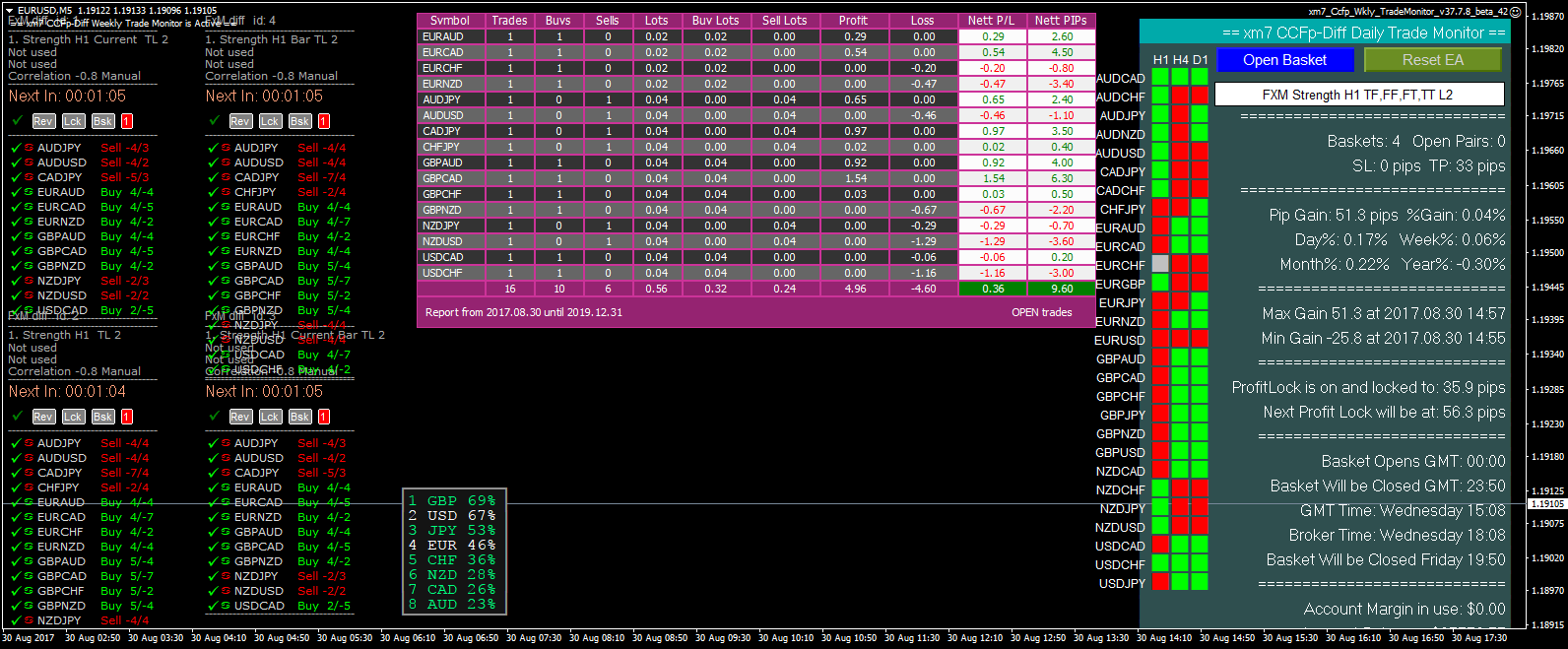
Open a chart and load the template FXMDIFF.
Change the settings to your liking (save the template).
Click on [Lck] to lock the current selection and then [Bsk] to generate an offline chart.
Go to you offline chart window and open the offline chart.
On that chart load the template FXMTTM.
Just for a first glance click on [break] and by double clicking on the breaklines select them and move them where you want. (The [usel] button on TTM will unselect all selected lines at once)
You can do that same with add, stoploss, profit etc.
No click on [ Start trading] and you are already set.
Want to trade manual ? then there are the [ Long] and [Short] buttons, no need for break lines.
Lot of params insite TTM for locking, distances etc.
Indicators: FXM_Diff3,FXMfibo
Experts: FXM_TTM, FXMSetup
Libraries: SDSMain.dll, BDMnextgen2.dll
Templates FXMDIFF, FXMTTM
Put them all in place.
Run FXMSetup from the experts folder
Open a chart and load the template FXMDIFF.
Change the settings to your liking (save the template).
Click on [Lck] to lock the current selection and then [Bsk] to generate an offline chart.
Go to you offline chart window and open the offline chart.
On that chart load the template FXMTTM.
Just for a first glance click on [break] and by double clicking on the breaklines select them and move them where you want. (The [usel] button on TTM will unselect all selected lines at once)
You can do that same with add, stoploss, profit etc.
No click on [ Start trading] and you are already set.
Want to trade manual ? then there are the [ Long] and [Short] buttons, no need for break lines.
Lot of params insite TTM for locking, distances etc.



原帖附件 (1)
📦 帖子附件汇总 (57)
以下是回帖中所有共享的文件(57 个)。
💡 精彩内容推荐
✍️ 楼主最新发布
- •
- •
- •
- •
- •
- •
📌 热门专题入口
- •
- •
- •
- •
- •
- •
- •
- •
🔗 您可能感兴趣
- •
- •
- •
- •
- •
- •
🔐
请登录后参与评论
注册满12小时后评论,即可解锁附件下载
立即登录


